
Burning Bridges AI Prompt: The Short One That Worked
The Burning Bridges AI prompt that worked in our tests, the longer prompts that did worse, what each run cost, and how to adapt it to your own video tool.
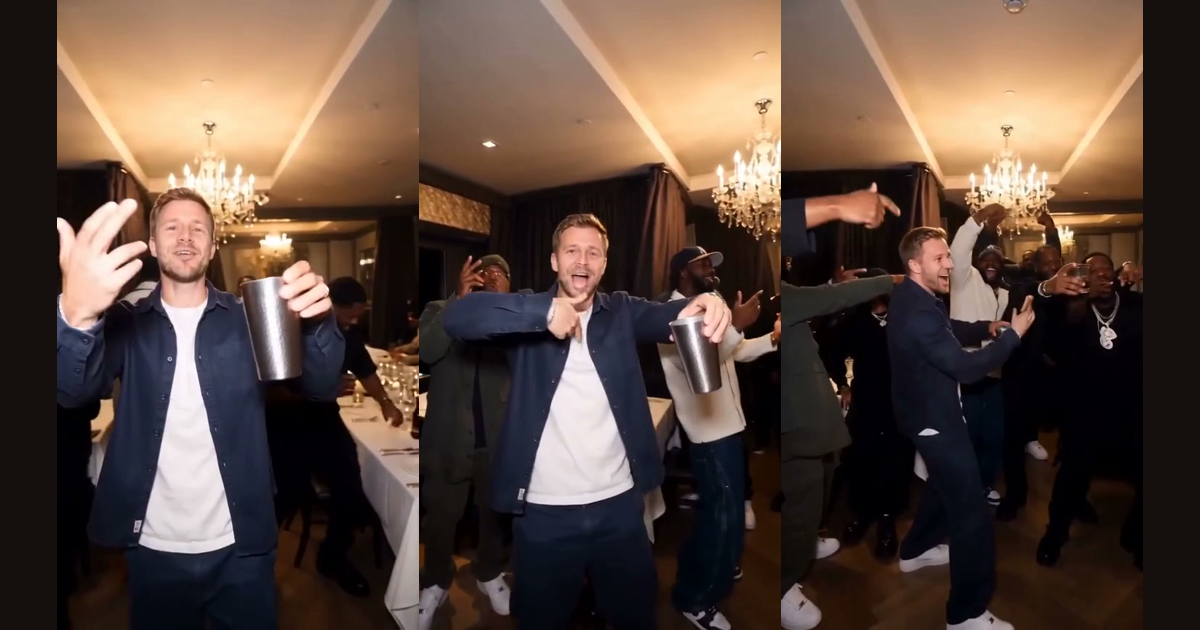
The Burning Bridges AI prompt that gave us the closest copy of the original scene was one sentence long: it only said which person to replace. Longer prompts that described the room, the gestures and the other people made the result worse. This article lists the prompts we tried, what each one produced, what it cost, and the exact wording to start from.
The Burning Bridges AI prompt that worked
We built this site's generator on Seedance 2 Fast, accessed through kie.ai, in its reference-to-video mode. You give the model the original clip as @Video1 and a portrait as @Image1. The prompt that worked best was:
Replace the main person in @Video1 with the person in @Image1. Keep everything else in @Video1 unchanged. The new person keeps their own hair, clothes and accessories.
The first two sentences keep the room, the camera and the people around the lead. The last sentence was added after a test in which the original performer's baseball cap stayed on the new person's head. With it, the cap disappeared and the new person kept their own navy shirt.
Every prompt we tried and what it did
Each variant was run once at 480p, so treat the table as observations, not a benchmark. A 4-second test used 54.4 kie credits, about $0.27 at roughly $0.005 per credit.
| Prompt | Result |
|---|---|
| Long prompt describing the scene and asking to replace everyone (15 s) | The lead was not replaced at all |
| Replace the lead only, one short sentence (5 s) | The lead was swapped, bystanders unchanged, motion looked stiff |
| Added notes about lively expressions and replacing the others (4 s) | Better expressions, but bystanders only partly replaced |
| Depth-map video, a generated still and a list of beats | Face and expression were good, but the crowd's movement did not match |
| One sentence, replace the lead (4 s) | Room, positions, camera and bystanders' gestures matched the original |
| Same sentence, vertical 9:16 | Worked, but the original performer's cap stayed on |
| Added "keeps their own hair, clothes and accessories" | Cap gone, own shirt kept |
| Added "replace every other person" | Others changed, but gestures drifted and logo clothing appeared |
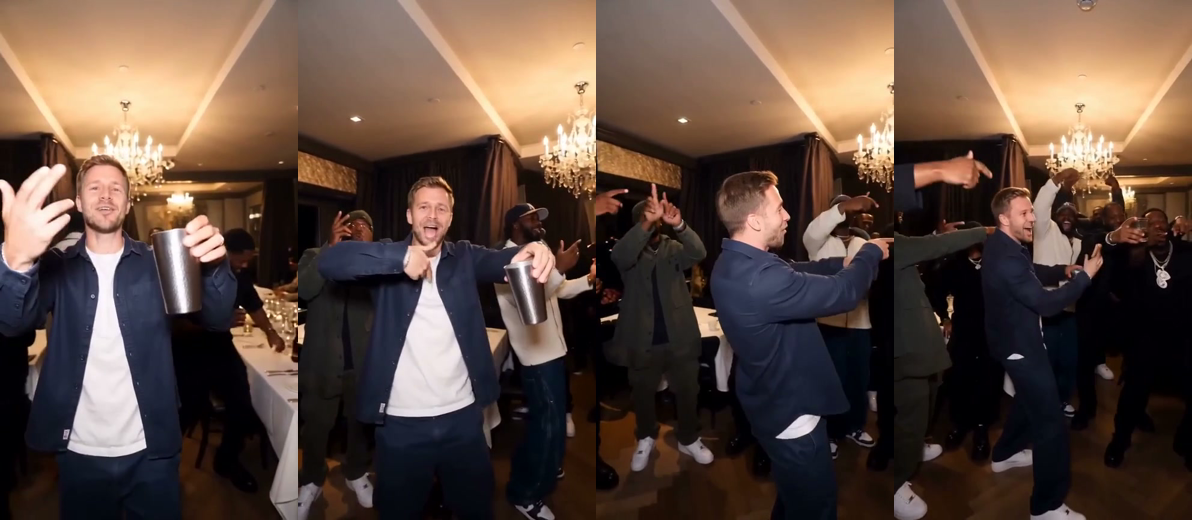
The frames show the result of the winning prompt. The man is an AI character made for this test, and the room and bystanders come from the reference clip.
Why a longer Burning Bridges AI prompt did worse
The reference video already carries the scene, the camera moves and every gesture. When a prompt describes them again, the model gets two sets of instructions and has to choose. In our runs it tended to follow the words and re-create the scene, which is what moved positions and gestures away from the original.
One guide recommends a detailed prompt that keeps the background, camera movement and audio unchanged, and expects three to five takes (Top5Apps). That may suit the tool it describes. In ours, naming only the swap gave the best match on the first try. Your tool may behave differently.
How to write a Burning Bridges AI prompt for your own tool
- Name the swap and nothing else. Say who is replaced and by whom, using the tool's way of pointing at the video and the image.
- Say what stays. One sentence such as "keep everything else unchanged" is enough.
- Say what the new person keeps. Own hair, clothes and accessories stops the original performer's items carrying over.
- Start at a close-up. In a full 15-second run the opening wide shot kept the original performer, because the lead was small in the frame. Starting the reference clip at a close-up fixed it in our 4-second test.
- Test for four seconds first. A short test shows the swap problems for a fraction of the cost: our full 15-second run used 204 credits, about $1.02.
Questions about the Burning Bridges AI prompt
Does the same prompt work in every tool? Not word for word. Other tools point at the clip and the image in different ways, so keep the structure of the prompt and change the references.
Do I need a longer prompt for better results? In our runs a longer prompt gave worse copies of the scene, so start short and add one sentence at a time only if something specific goes wrong.
Skip the Burning Bridges AI prompt entirely
If you would rather not write a prompt, the generator on the home page already contains the reference clip and the winning wording. Upload one photo, pick 480p or 720p, and download the result. See the how-to guide for the steps, the examples page for output, and the pricing page for credit packs from $9.99.