
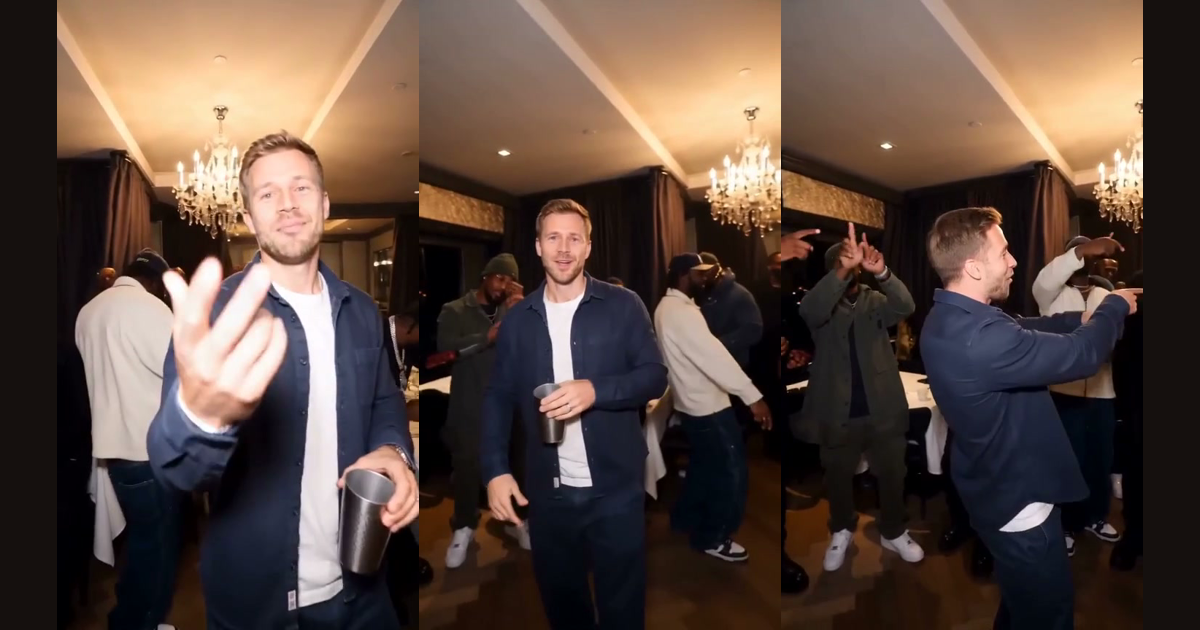
A 12-second preview of a video made with this generator from one photo. The main person is an AI character.
Burning Bridges AI Video Generator
Burning Bridges AI turns one photo of you or a friend into the viral party video from the Burning Bridges trend. Upload a face, press generate, and in a few minutes you get a vertical 15-second clip with a chandelier-lit party, a crowd of friends and the point-at-the-camera moves, ready to post.
- 1 photo
- No prompt to write
- Vertical 9:16
- 15 seconds with sound
Make your video
15-second vertical video with sound. Failed videos are refunded automatically.
Inside the Burning Bridges AI Video
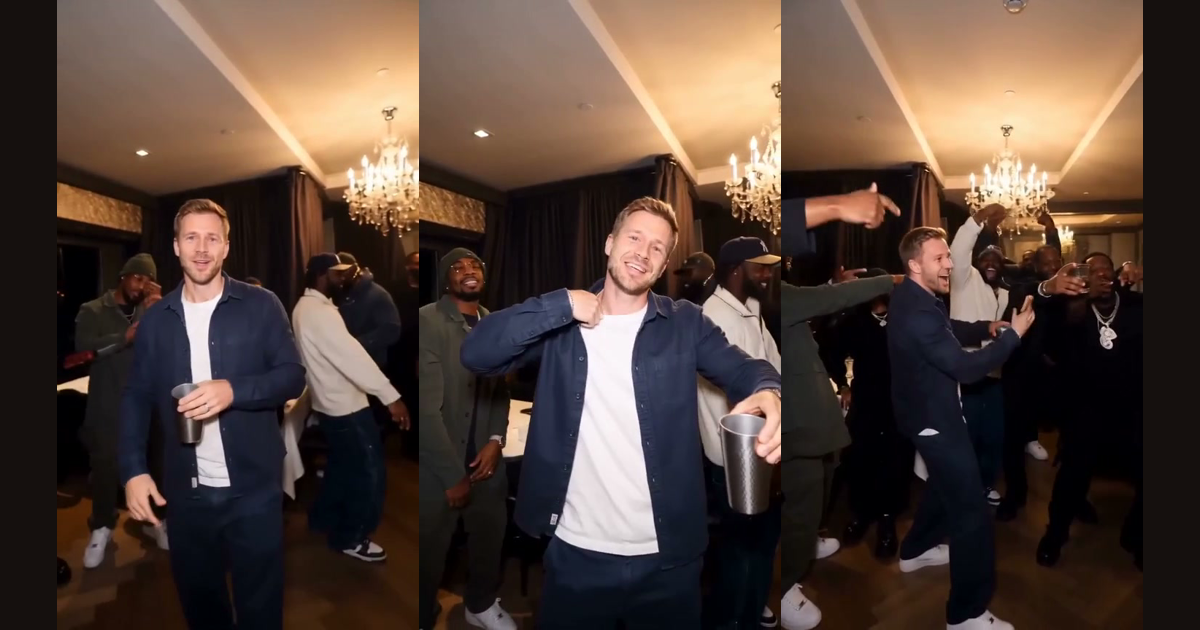
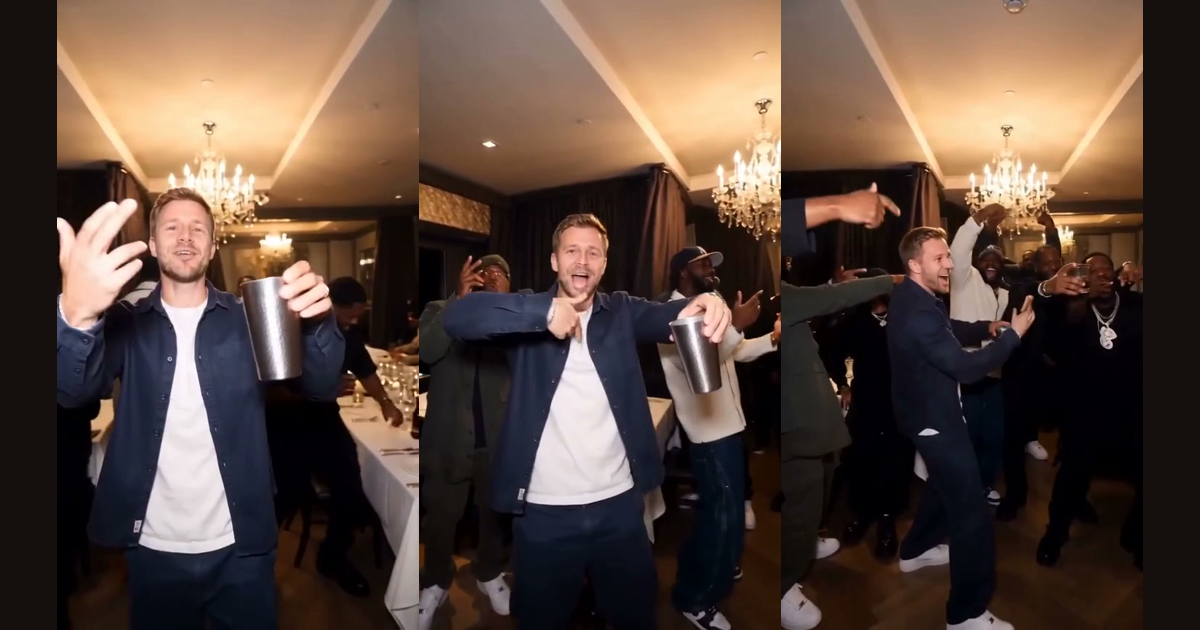
This is the scene the generator follows, in order: a 15-second part of the party in the trend. The room, the camera and the people around you come from a reference clip of that party, and your photo replaces the main person.
01 · 0 – 2 s
The flick
Close on the main person, mouthing along to the beat. One hand flicks toward the camera.
02 · 2 – 4 s
The cup
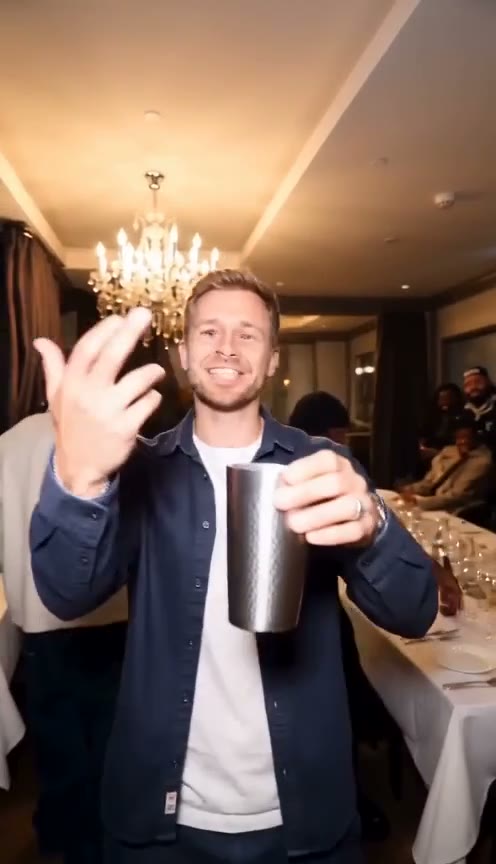
A stainless-steel cup is lifted and tilted, and you point with it while you keep mouthing the words.
03 · 4.5 – 6.5 s
The point
Both hands point straight at the lens, the cup still in one hand.
04 · 6.5 – 8.5 s
The collar
A hand goes to your chest and collar, then your arms spread wide.
05 · 8.5 – 11 s
The turn
You turn and point at your friends, who point back.
06 · 11 – 15 s
The crowd
Friends lean in around you, arms over shoulders, everyone laughing with their hands up.
The look. Warm chandelier light, a wood-panelled party room, a handheld camera close to the group, and a stainless-steel cup in your hand throughout.
How to Make a Burning Bridges AI Video
Three steps, no editing and no prompt. The scene is built in, so the photo is the only thing you choose.
 1
1Upload your photo
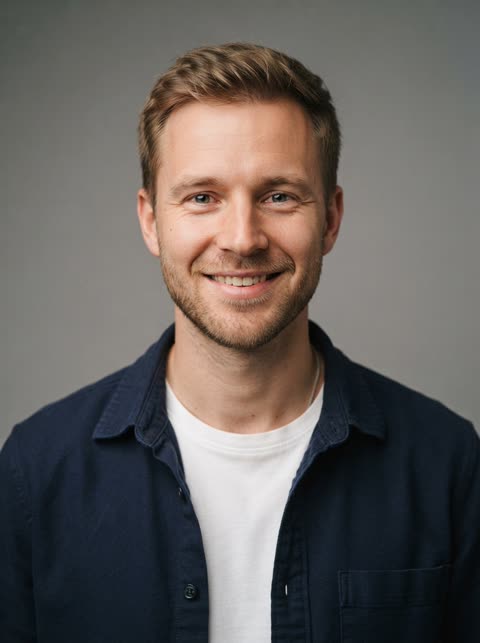
Add one clear photo with a sharp, well-lit face. Your hair, clothes and accessories carry over into the party.
Quality
480p 100720p 200Make my video · 100 creditsSetting up the partyabout 3 min left
2Generate your video
Pick 480p or 720p and press the button. The clip renders in a few minutes. You can close the tab and find it later in My videos.
 Download video
Saved in My videos until you delete it
3Download and share
Save the vertical MP4 and post it to TikTok, Instagram Reels or YouTube Shorts. Label it as AI-generated when the platform asks you to.
For a face that stays recognisable
- Use a front-facing photo, shoulders up, well lit.
- Keep sunglasses, masks and heavy filters out of the photo.
- One person per photo.
- Only use people who agreed to appear. No children and no public figures.
Burning Bridges AI generator or a character-swap tool?
Most tutorials for the trend use a general AI video tool with a character-swap feature. This is how that route differs from this generator for someone who just wants the clip.
A general AI video tool with a character-swap feature
What you do: Trim the source clip, make reference images, write a long prompt and map each character
What you get: A result that changes with every take. Guides expect three to five takes and warn about distorted cups and shifting faces in the background.
A general video model with only a text prompt
What you do: Describe the whole scene in words and retry until it looks right
What you get: A new scene each time, not the party from the trend, and several paid attempts
This generator
What you do: Upload one photo
What you get: A vertical 15-second clip built on a fixed reference clip of the party
| Route | What you do | What you get |
|---|---|---|
| A general AI video tool with a character-swap feature | Trim the source clip, make reference images, write a long prompt and map each character | A result that changes with every take. Guides expect three to five takes and warn about distorted cups and shifting faces in the background. |
| A general video model with only a text prompt | Describe the whole scene in words and retry until it looks right | A new scene each time, not the party from the trend, and several paid attempts |
| This generator | Upload one photo | A vertical 15-second clip built on a fixed reference clip of the party |
Why Create a Burning Bridges AI Video?
It is the quickest way to take part in the trend without filming or editing anything.
Join the trend fast
From photo to finished clip takes a few minutes, while the sound is still everywhere.
Nothing to edit
There is no timeline, no cutting and no template to hunt for.
No prompt to write
The scene, the camera and the gesture are already in the generator.
It looks like you
Your face, hair and outfit come from your own photo, so friends recognise you.
Made for short video
Vertical 9:16, 15 seconds, with sound, sized for TikTok, Reels and Shorts.
Burning Bridges AI Video FAQ
Explore the Burning Bridges Trend
Read where the trend comes from, see finished clips and follow the full guide.
Who makes this site, and why? About Burning Bridges AI
Latest guides
Notes on the trend and on getting a better result.
Burning Bridges Shrek AI Video: How It Is Made and the Risks
How the Burning Bridges Shrek AI video is made, why its source is unclear, which rights questions it raises, and what this generator does instead.
Burning Bridges AI Prompt: The Short One That Worked
The Burning Bridges AI prompt that worked in our tests, the longer prompts that did worse, what each run cost, and how to adapt it to your own video tool.
Burning Bridges AI Trend: What It Is and How It Spread
What the Burning Bridges AI trend is, where the clip comes from, how people swap themselves into it, what it costs to try, and what to check before you post.
Create Your Burning Bridges AI Video
One photo. A few minutes. Your own party moment.