
Burning Bridges AI Trend: What It Is and How It Spread
What the Burning Bridges AI trend is, where the clip comes from, how people swap themselves into it, what it costs to try, and what to check before you post.
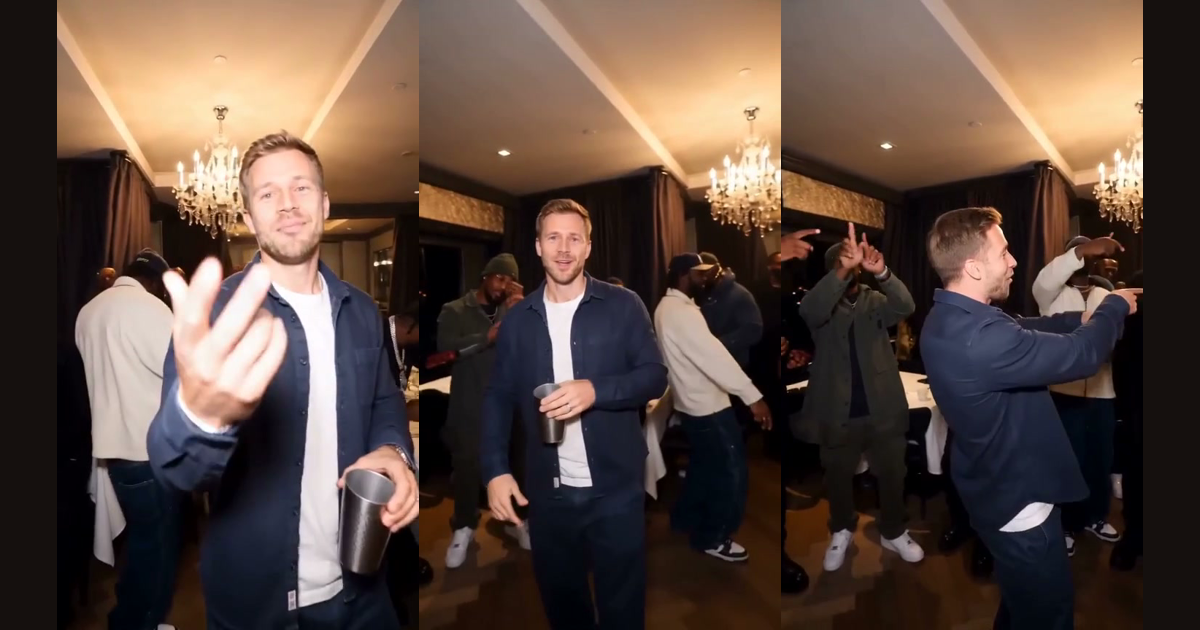
The Burning Bridges AI trend is a run of short videos in which someone is placed into the party scene from Drake's "Burning Bridges" music video. The creator's face replaces the main person, while the room, the camera and the people around them stay the same. This guide explains where the clip comes from, how people make these videos, and what to check before you post one.
Where the Burning Bridges AI trend comes from
"Burning Bridges" is a song from Drake's 2026 album Iceman. According to its Wikipedia entry, it was released on 15 May 2026 and peaked at number 13 on the US Billboard Hot 100.
The scene people copy in the Burning Bridges videos is the back half of the music video. An October 2026 write-up on Top5Apps describes it as a private dining room in Toronto, with Drake waving at a handheld camera and raising a metal cup. That handheld, close-up feel is what makes the Burning Bridges clip easy to swap: one person in the middle, a crowd of friends behind them, and a few clear gestures.
When we searched TikTok for "burning bridges ai" on 9 October 2026, the first results were a mix of swaps and tutorials. There were versions with Shrek, a Marvel Avengers version titled "Where she at?", a horror-movie clown, and several posts labelled "free tutorial". Four of the top results had more than 3,000 likes each.
How people make Burning Bridges AI videos
Every version of the Burning Bridges AI trend starts from the same Burning Bridges footage. What differs is the tool that swaps the person. The Top5Apps write-up found that every version it could trace used one character-swap tool, and it names two other routes that can do something similar.
| Route | What you do | What to expect |
|---|---|---|
| Character-swap tool | Trim the source to 8–20 seconds, make reference images of each character, map them, write a detailed prompt | Guides expect three to five takes. Common faults are distorted cups, skin-tone shifts and faces changing in the background |
| Reference-to-video model | Give the model the clip, a picture of the new person and a prompt | The model re-creates the scene, so positions and gestures can drift |
| One-photo generator | Upload one photo, no prompt | A fixed 15-second part of the scene with your face in the lead role |
The last row is what this site does. The Burning Bridges generator on the home page takes one photo and swaps the main person in a stored reference clip. You choose 480p or 720p, and a 480p video costs 100 credits. Credit packs start at $9.99, shown on the pricing page.
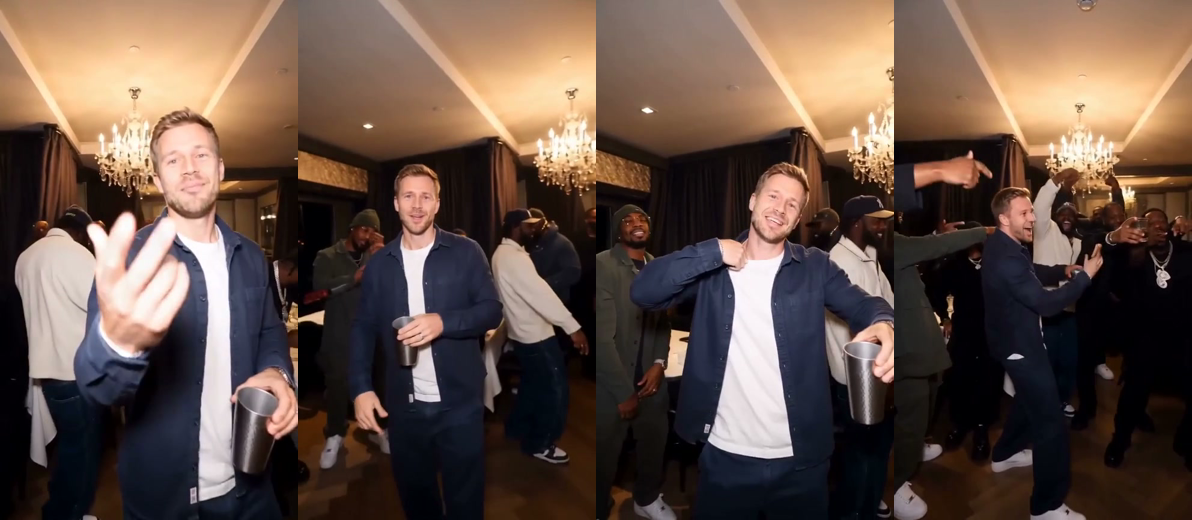
The frames above come from a clip made with that generator. The man in the lead role is an AI character, and the room and the people around him come from the reference clip. You can see more on the examples page.
What the Burning Bridges AI trend copies
The Burning Bridges AI trend is recognisable because of a few things that stay fixed from video to video:
- a wood-panelled dining room under chandeliers;
- a handheld camera that stays close to the main person;
- a steel cup in one hand;
- pointing at the lens, a hand to the chest, a turn toward friends.
Those are also the parts to keep if you make your own Burning Bridges version with any tool. The background and the camera tell viewers which Burning Bridges clip you mean, so a version that changes them reads as a different video.
What to check before you post a Burning Bridges AI video
Three things matter before you upload.
- Music. The song belongs to its rights holders. The Top5Apps write-up credits the official video to OVO, licensed to Republic Records, part of UMG Recordings. A video you make here has generated sound and does not include the song, and you can add a track inside the app you post to, where the platform handles the licence.
- Characters. Shrek and Fiona are DreamWorks characters. The same write-up notes that Universal is a plaintiff in copyright suits against AI companies that cite Shrek images, and that no takedowns of the swaps had been reported when it was published. It advises treating that as an open window, not permission, and using invented characters where possible. This is not legal advice.
- Labels. Mark the video as AI-generated where TikTok, Instagram or YouTube asks you to, and only use photos of people who agreed to appear.
How to join the Burning Bridges AI trend from one photo
- For your Burning Bridges video, pick a clear, front-facing, well-lit photo of yourself or a friend who agreed.
- Open the Burning Bridges video generator, add the photo, choose 480p or 720p and press the make button.
- Wait a few minutes, then download the vertical MP4 from the page or from My videos.
The how-to guide covers photo rules and fixes for a Burning Bridges video in more detail, and the trend page explains how the generator handles the music from Burning Bridges.