
Burning Bridges Shrek AI Video: How It Is Made and the Risks
How the Burning Bridges Shrek AI video is made, why its source is unclear, which rights questions it raises, and what this generator does instead.
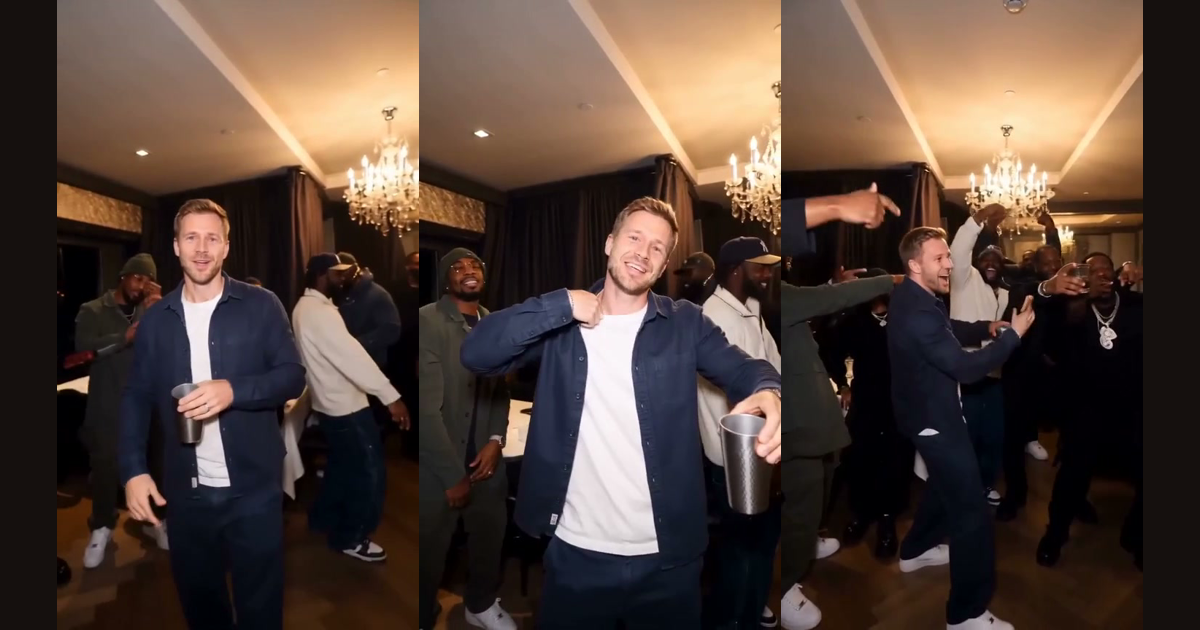
The Burning Bridges Shrek AI video puts Shrek and Princess Fiona into the dinner-party scene from Drake's "Burning Bridges" music video, with the same handheld camera and the same crowd. It is the best-known version of the character-swap trend, and it raises a rights question that most tutorials skip. This article explains how it is made, what is unclear about its source, and what this site does differently.
What the Burning Bridges Shrek AI video shows
The scene comes from the second half of the official music video, released on 15 May 2026 according to the song's Wikipedia entry. A Top5Apps write-up from October 2026 describes it as a private dining room in Toronto with Drake waving at a handheld camera and raising a metal cup. In the Shrek version those two roles are played by Shrek and Fiona, and the room and the crowd are kept.
The author of that write-up could not trace the Shrek clip to a first poster, a date or a view count. So treat any claim about who made it, or how many people saw it, as unconfirmed. On TikTok, searches for "burning bridges ai" on 9 October 2026 showed several Shrek posts next to other swaps, including an Avengers version and a horror-movie clown.
How a Burning Bridges Shrek AI video is made
The Top5Apps write-up says every documented version it traced used the same character-swap tool, whose Object Swap feature changes the person while keeping the room. It lists the steps people follow:
- Trim the source to 8–20 seconds of the party section.
- Make reference images of each character, in front, three-quarter and full-body views.
- Map the lead character, and optionally a second one, in the tool.
- Write a detailed prompt that keeps the background, camera and audio unchanged.
- Expect three to five takes.
| Problem people report | What it looks like |
|---|---|
| Distorted cups | The metal cup changes shape between frames |
| Skin-colour issues | A character's colour drifts from shot to shot |
| Shifting background faces | The crowd's faces change while the camera moves |
The Shrek rights question
Shrek and Fiona are DreamWorks Animation characters, which the write-up says belong to NBCUniversal. It notes that Universal is a plaintiff in copyright suits against AI companies, and that those suits cite Shrek images. It also reports that, when published, no takedowns of the swaps had been reported and neither Drake nor his label had responded.
Its advice is to treat that as an open window, not permission, to keep parodies non-commercial, and to use invented characters where possible. That is the article's reading, and this is not legal advice. If you sell videos or run ads against them, the risk is higher than for a personal post.
What this generator does instead of Shrek
This site does not have a Shrek option. The generator on the home page takes one clear photo of a real person who agreed to appear and replaces the main person in a stored reference clip. There is no character library, and cartoon characters and pets are not supported.
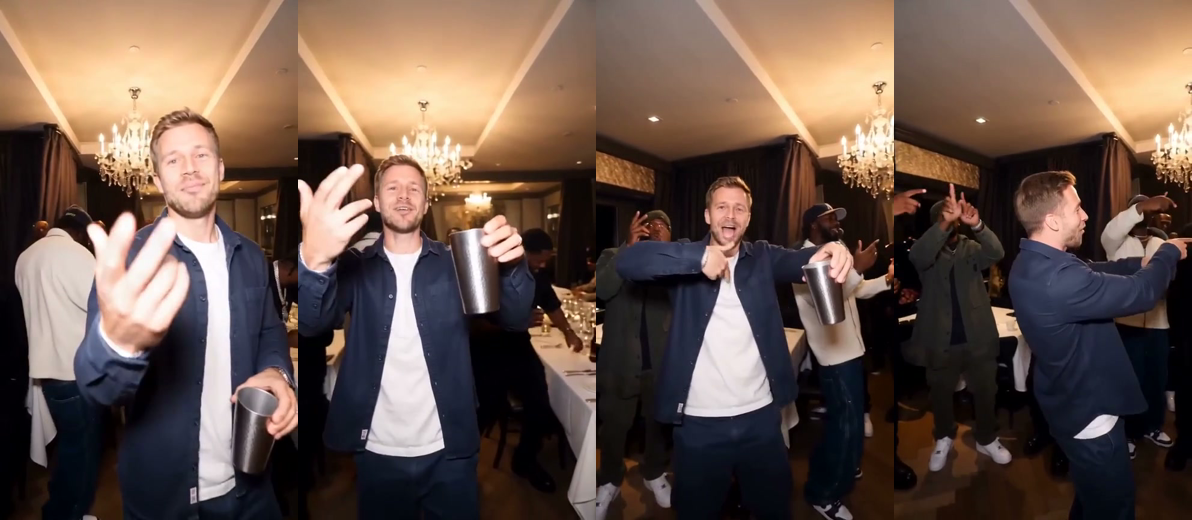
The frames show a clip made that way. The man is an AI character, and the room and the people around him come from the reference clip. A video you make here has generated sound and does not include the song.
Questions about the Burning Bridges Shrek video
Is the Shrek version official? No. The official video is credited to OVO and licensed to Republic Records, and the Shrek clip could not be traced to a first poster, so it is a fan-made parody.
Can I make a Shrek one on this site? No. There is no Shrek option here, and characters are not supported.
Will a Shrek post stay up? Nobody can promise that. The write-up reported no takedowns when it was published, and it advised treating that as an open window, not permission.
How to join the trend without a Shrek swap
- Choose a clear, front-facing, well-lit photo of yourself or a friend who agreed.
- Open the video generator, add the photo and pick 480p or 720p.
- Download the vertical MP4 and mark it as AI-generated where the platform asks.
The how-to guide has the photo rules, the trend page covers the background, and the pricing page lists credit packs from $9.99.